
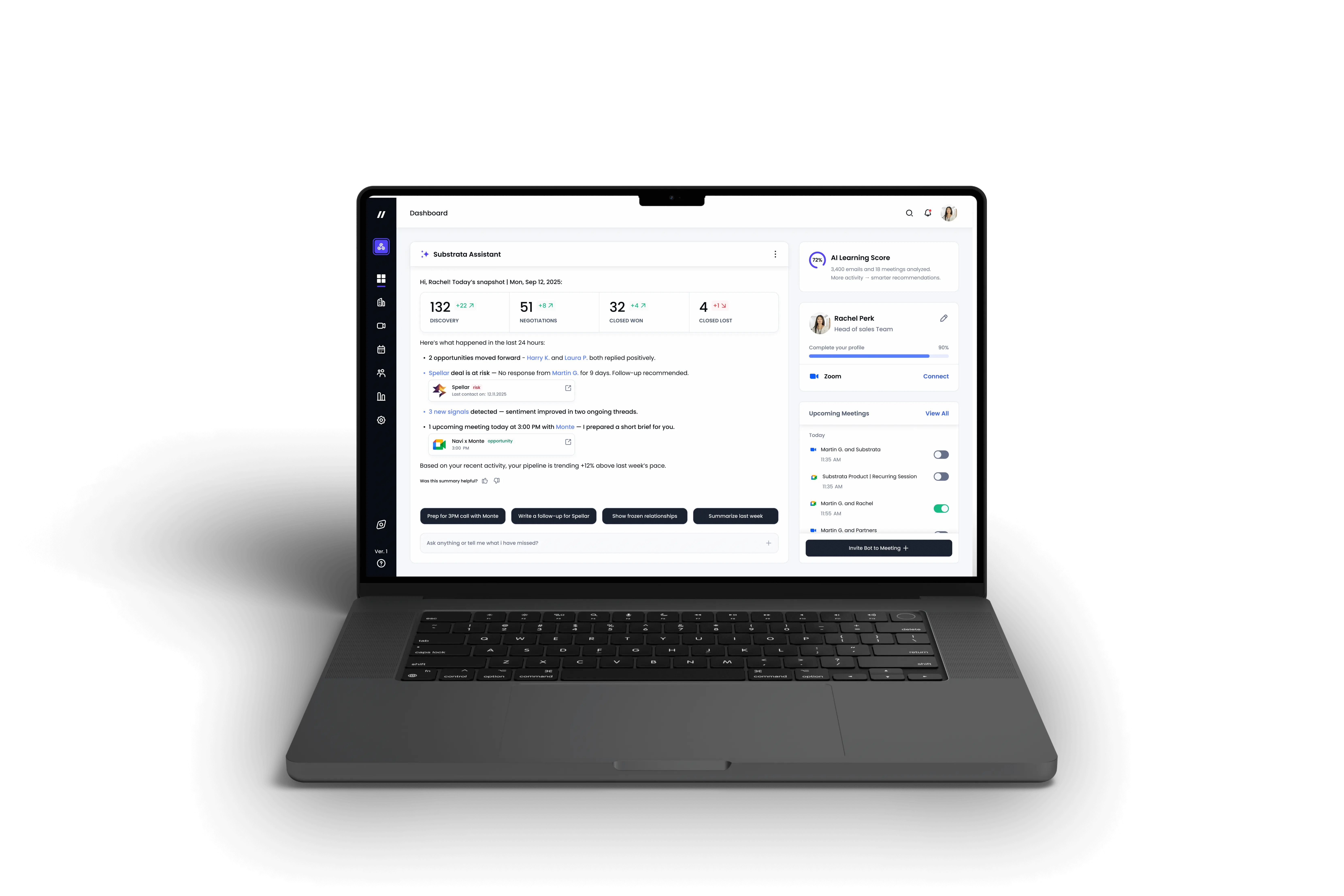
The Challenge:
making AI feel visible, guided, and human-owned
The main challenge was to design an experience that brings AI to the surface, helping users understand how intelligence works, stay in control of interpretations, and trust both the system and their own decisions. Charts and metrics lacked explanations or interpretation, leaving users unsure how insights were generated.
At the same time, the team avoided displaying AI reasoning out of fear that imperfect or biased conclusions might damage user trust.
Approach & Process:
From invisible AI logic to transparent, guided interactions
I analyzed how users engaged with AI insights and where trust broke down - most saw data, not reasoning. From these findings, I defined principles for explainable AI:
- make reasoning visible (“why” behind insights)
- let users guide or refine AI outputs
- show uncertainty with visual cues
I created early wireframes and interaction flows that framed AI as a collaborative assistant, not an oracle - surfacing intelligence while giving users final ownership of interpretation.
Key Steps: From Invisible Logic to Explainable AI UX
1. Problem Exploration
Identified where AI felt “invisible”, missing context, lack of explanations, and unclear reasoning.
2. Mapping Understanding Gaps
Traced how users interpreted signals and where they lost confidence or control.
3. Design Principles Definition
Defined rules for explainability, feedback, and shared control, AI should reveal its logic and invite user input.
4. Concept and Interaction Design
Prototyped AI reasoning with layered clarity, combining confidence cues and contextual hints
5. Validation and Iteration
Tested with internal teams to ensure the system communicates intelligence responsibly, avoids overpromising, and builds trust over time. The sales team shared demo recordings that helped us analyze user feedback, impressions, and recurring pain points.
Redesign Overview
The new interface combines conversational flow, contextual awareness, and transparent reasoning, helping users understand why suggestions are made and stay in control of outcomes.
By introducing visual cues for AI confidence, explanations for insights, and micro-feedback moments, the redesign turned the experience from automation that predicts into intelligence that collaborates.
This structure enables sales managers to work confidently with AI, interpreting signals, validating tone, and co-creating responses with full visibility and trust.
Bridge Redesign Overview
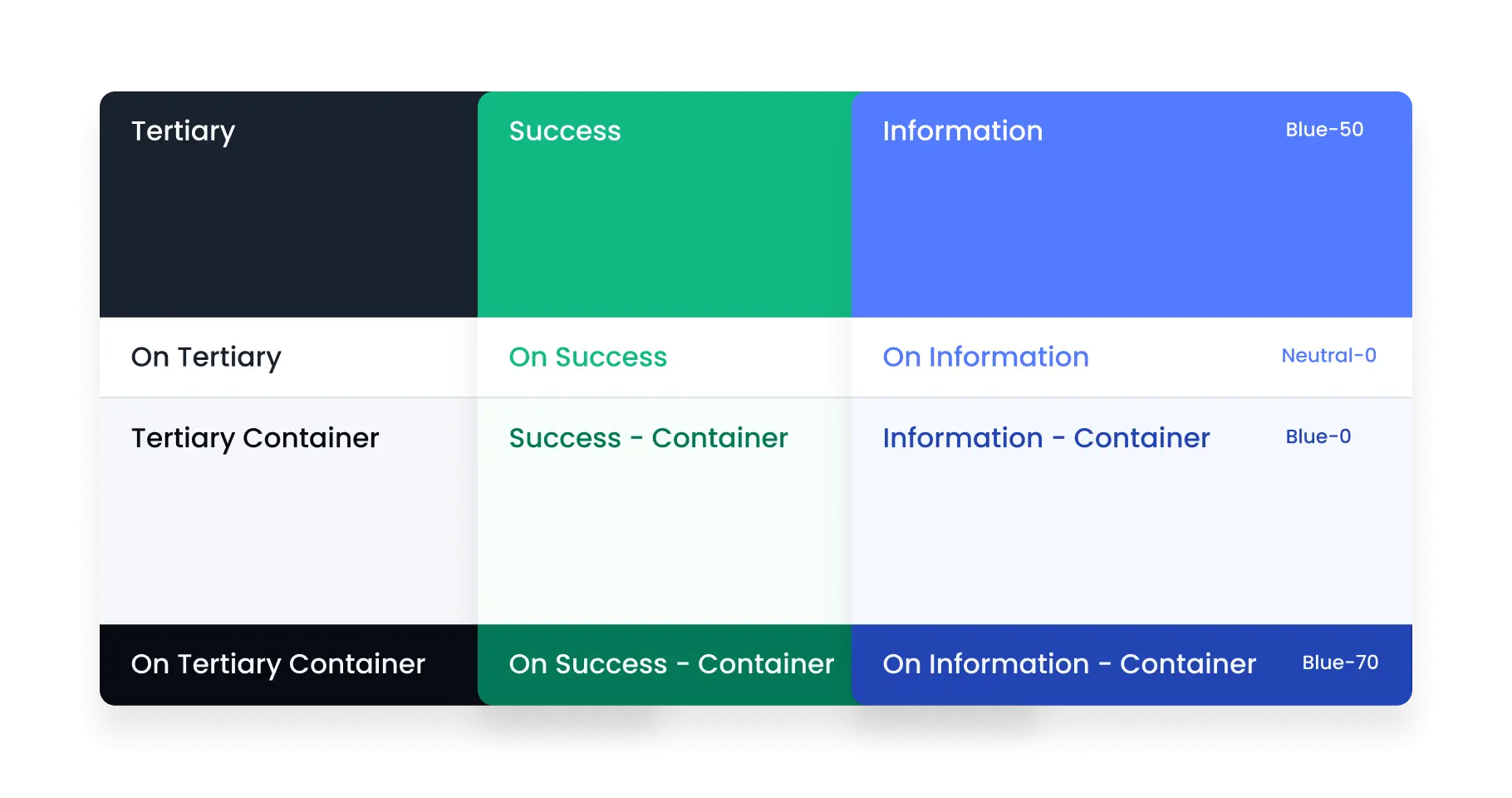
Cross-platform Design System
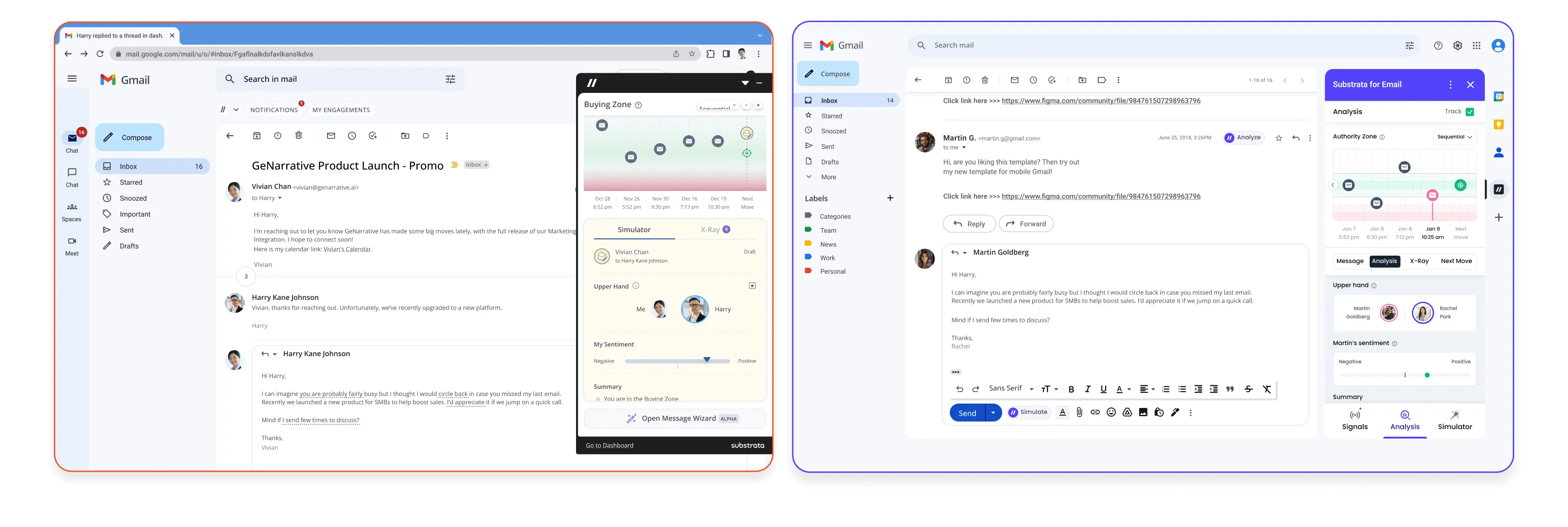
Unified Substrata’s platform and extensions (Gmail, Outlook, HubSpot, LinkedIn) under one consistent design language.
~50% product adoption, improved consistency, and reduced UI duplication.
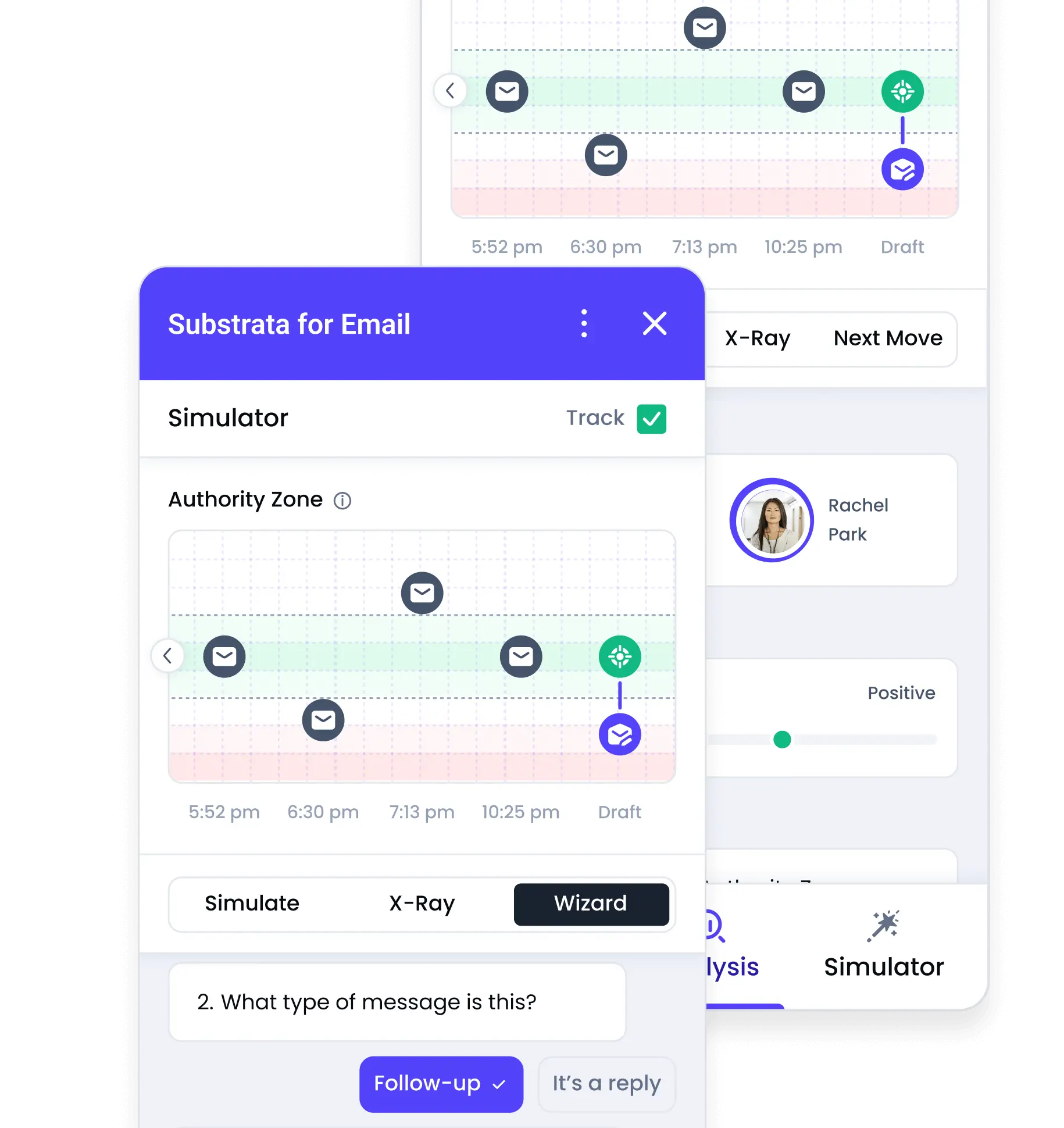
Extension Redesigns & New Builds
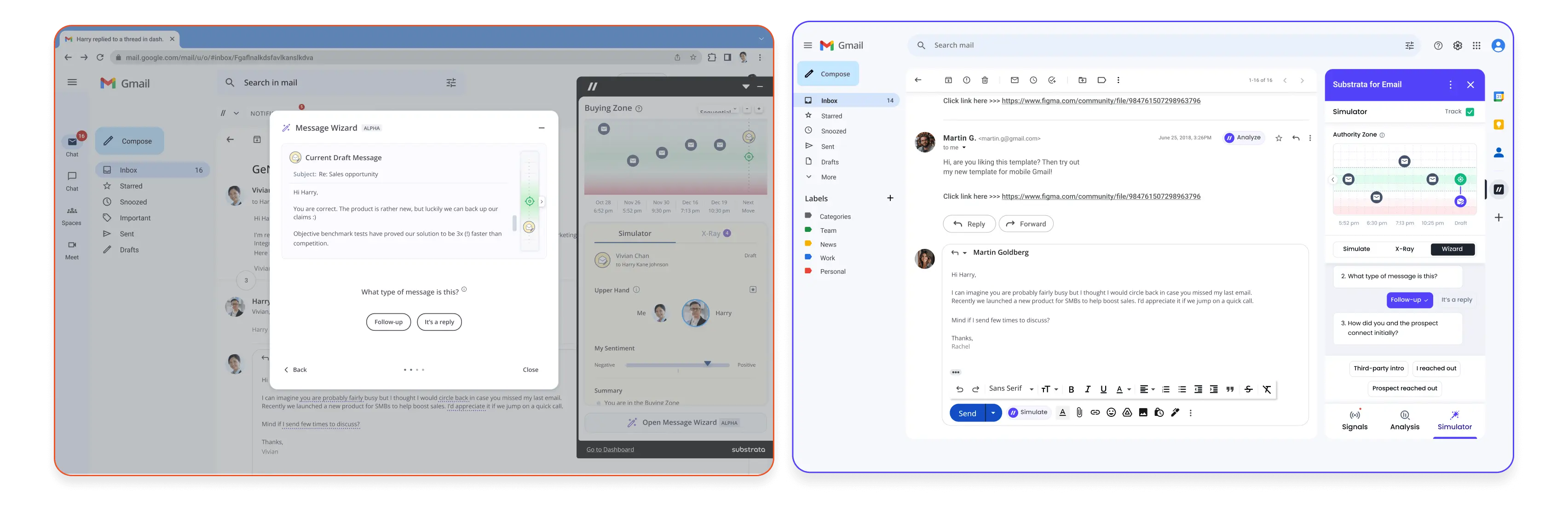
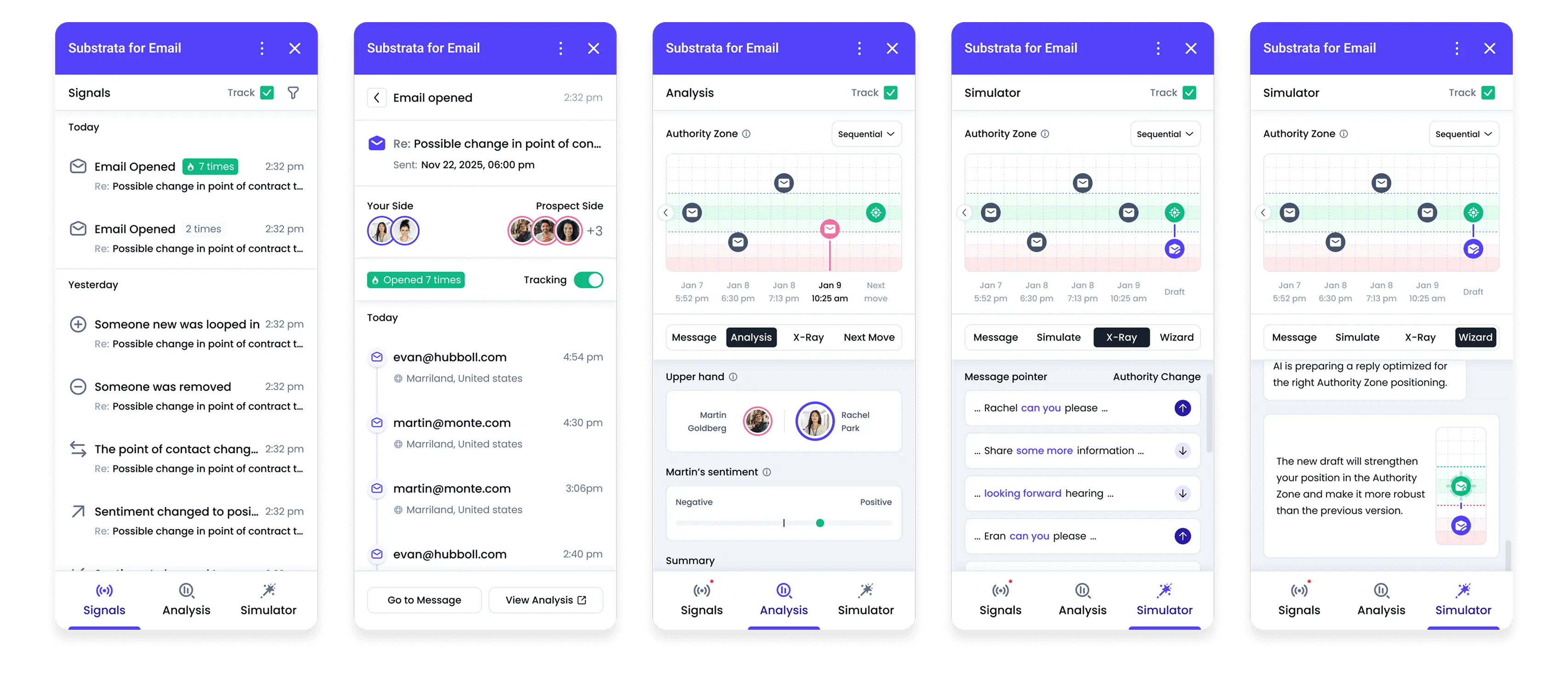
Redesigned and rebuilt Substrata’s extensions and Meeting Analysis tool for clearer guidance and consistent UI.
Added new visual models - timelines, graphs, and signal maps - to reveal interaction patterns.
Expanded AI from analysis to actionable guidance: next steps, tone suggestions, and deal strategies.
Created a shared workspace for managers and teams to review conversations, reports, and progress together
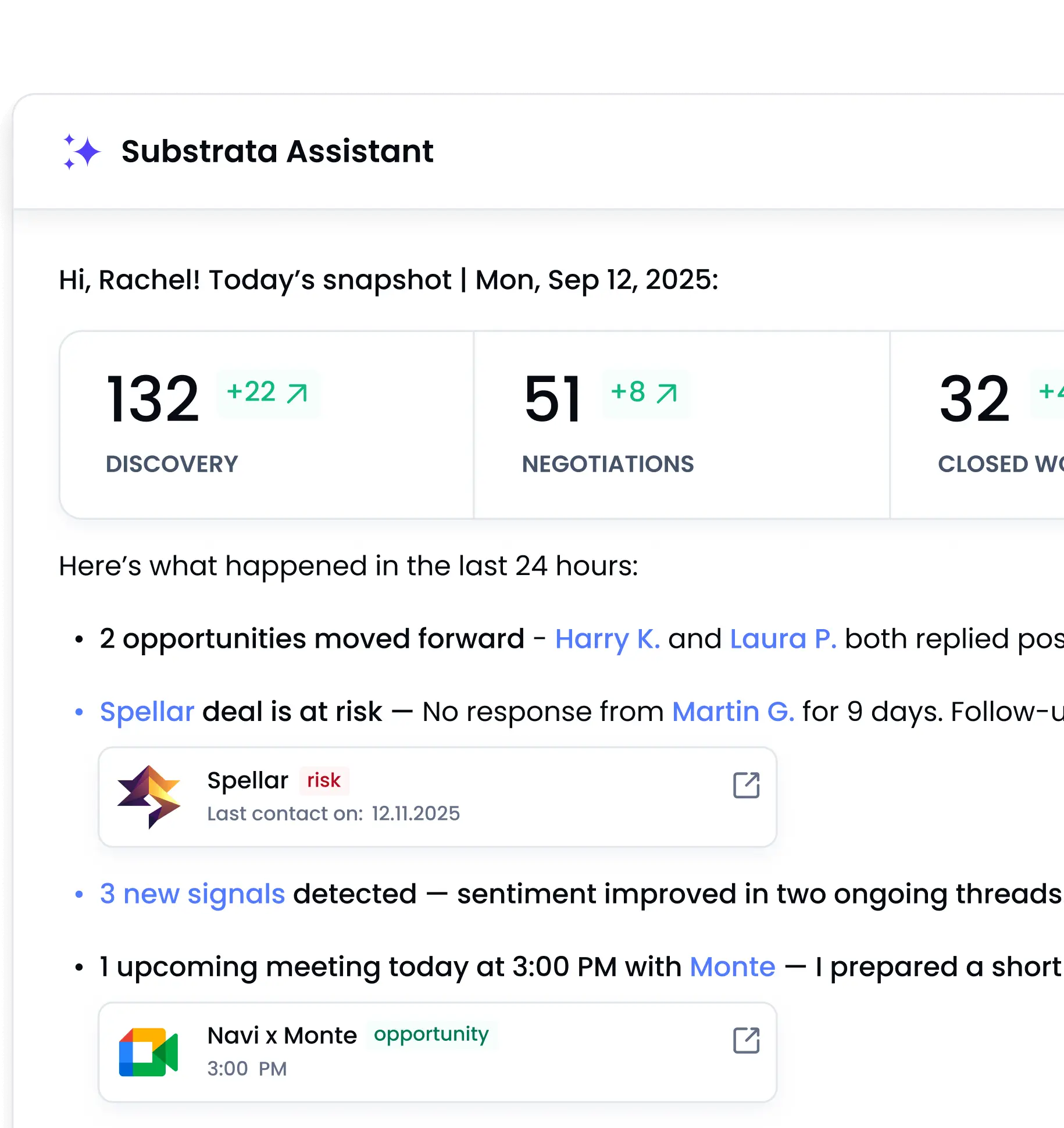
AI Dashboard Queries
Designed a smart dashboard concept where users can ask AI for instant summaries, deal health updates, or insights across emails, meetings, and relationships.
AI highlights risks, opportunities, and next actions, helping users quickly understand what changed and what requires attention.
The dashboard also supports quick prompts, enabling fast follow-ups, meeting prep, or weekly summaries in one place.
Explainable AI & Feedback
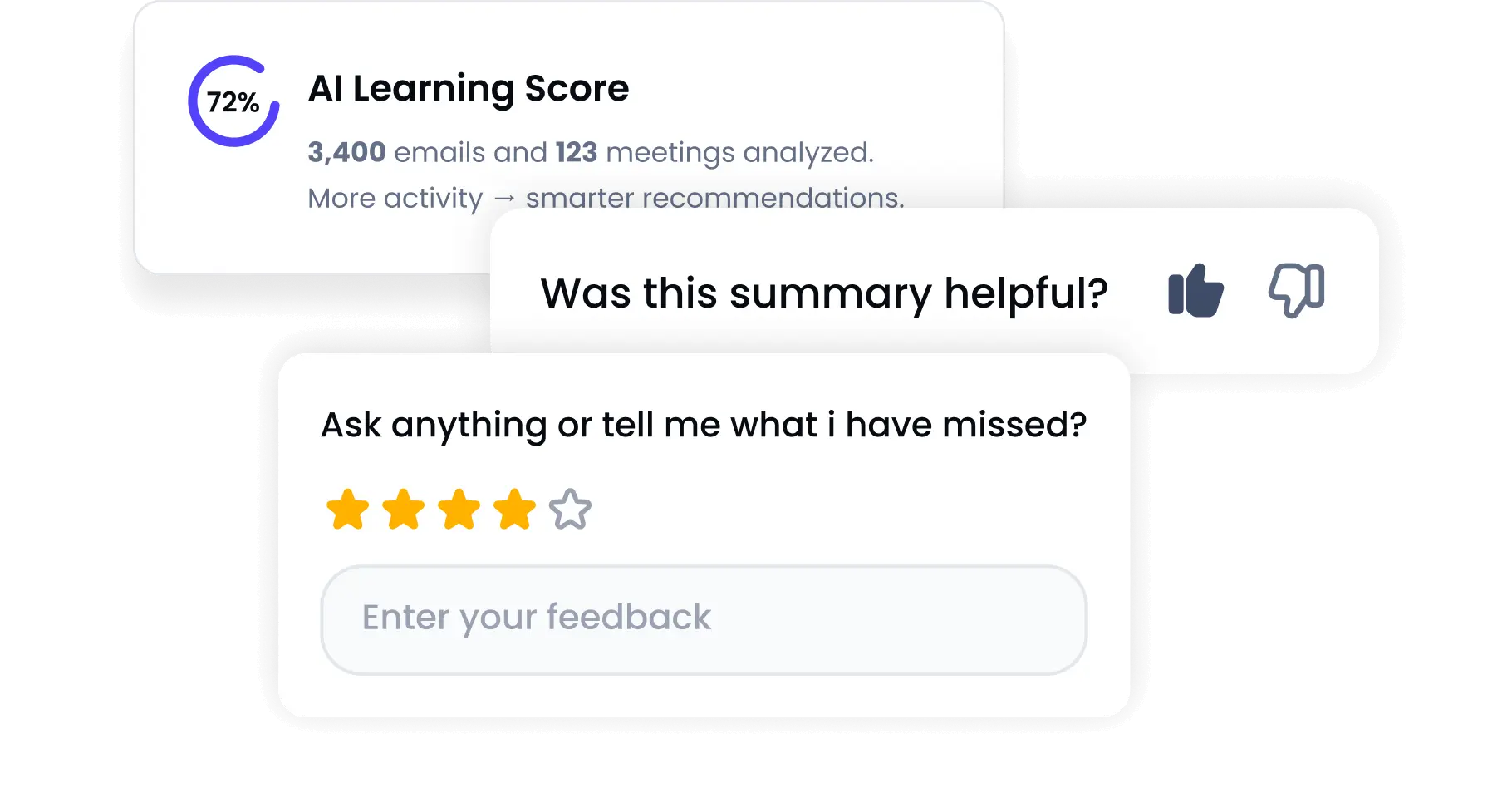
Designed interaction patterns that let users understand why AI made a suggestion, how confident it is, and correct or refine interpretations directly in the flow.
Impact
faster workflow across Gmail/Outlook/HubSpot extensions
higher adoption of the new cross-platform design system
reduction in user confusion around AI suggestions (based on feedback)
faster meeting prep using AI summaries
Key Learnings
- Trust in AI depends on visibility and explainability
- Users engage more when AI invites discussion, not decisions
- Feedback loops are critical for responsible AI
- Native integrations drive adoption more than advanced features
What’s Next
Evolving AI-driven Product Systems
- Deeper AI Feedback Loops - Expanding confidence indicators, explanations, and user corrections so AI continuously learns from real sales context.
- Team-level Insights & Coaching - Turning individual analyses into shared team views: patterns across reps, coaching opportunities, and performance trends.
- Smarter AI Queries - Enabling more natural, cross-data questions like “What deals need my attention today?” or “Why are negotiations slowing down this week?”